How to Redeem Codes in A Quiet Place: Deadzone
Main menu redemption, typo fixes, and why you should never redeem mid-match.
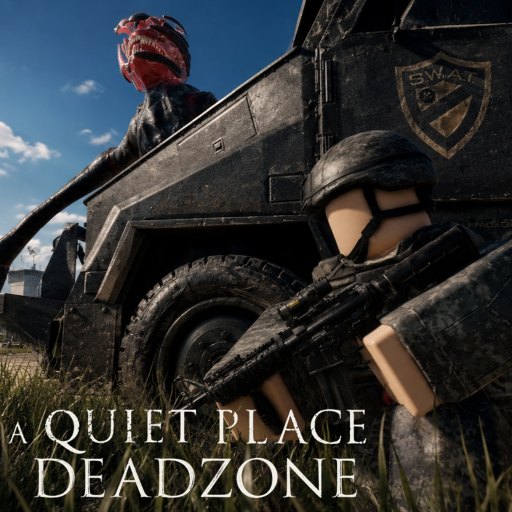
Where code redemption happens
A Quiet Place: Deadzone on Roblox only accepts promo codes from the main menu, not from inside an active Cold Spring session. QPG STUDIOS placed the redeem flow under More → Enter Code → Redeem so players claim rewards before spawning into the deadzone where Death Angels listen for every footstep.
That placement is deliberate. The official game description warns that leaving while the danger indicator (⚠️) is active causes you to lose your inventory. If you try to back out of a noisy firefight to redeem 1000LIKES, you risk wiping the loot you just fought to secure. Redeem first, then queue into a match with Level 3 already applied.
This guide walks through the full path on PC and mobile, common failure messages, and how to confirm success without guessing.
Step-by-step redemption on Roblox
1. Launch the experience
Open A Quiet Place: Deadzone on Roblox and wait until the main menu fully loads. Pre-alpha builds can take extra seconds on first join—do not mash buttons before UI elements appear or you may miss the More tab.
2. Open More
Look at the bottom menu bar on the main screen. Tap or click More. This drawer holds code entry, settings shortcuts, and other pre-match options. If More is missing after an update, restart Roblox and check Community Updates for UI change notes.
3. Enter Code
Select Enter Code. A text field appears. Type the active code exactly as published—currently 1000LIKES with no spaces before or after. Roblox code fields are case-sensitive on some experiences; copy-paste from our Codes hub to avoid typos like 1000likes or 1000 LIKES.
4. Press Redeem
Hit Redeem once. A success message should appear and your account level updates immediately. Open the stats menu and confirm you are Level 3 after using the launch code.
5. Join a match
Only after redemption succeeds should you enter Cold Spring. Combine this habit with How to Protect Inventory so you never confuse menu exits with mid-run escapes.
PC vs mobile differences
On PC, you click More with the mouse and type on keyboard. On mobile, the same More button sits in the bottom bar—use tap and the on-screen keyboard. Mobile autocorrect loves to break codes; disable suggestions or paste carefully.
Controller users on console-style Roblox builds should navigate More with the focus cursor. If your platform hides the keyboard, connect a physical keyboard temporarily for paste accuracy.
Detailed platform notes live in PC Controls and Mobile Controls.
Troubleshooting failed redemption
Invalid code usually means a typo, an expired string, or a code not yet activated. Double-check against the active codes list—right now only 1000LIKES works.
Already redeemed appears if your account claimed that code before. Codes are typically one-time per account. You cannot farm Level 3 twice from the same string.
Nothing happens after Redeem: restart the experience, verify Roblox server status, and ensure you are on the main menu—not in a private test server with outdated builds.
Level did not change but no error showed: open stats, re-log, and read How to Level Up to see if UI labels shifted in a pre-alpha patch.
What not to do
Do not leave an active match to redeem. The danger penalty still applies.
Do not redeem from third-party “code generator” sites—they are scams. Only strings QPG STUDIOS publishes work.
Do not share accounts so friends redeem on your profile unless you trust them—progress binds to the Roblox account.
After you redeem
Level 3 is a launch boost, not a silence pass. Death Angels still hunt noise. Spend your first boosted runs learning How to Play and Creature Behavior instead of sprinting through town.
Use the Code Redemption Checklist before group sessions so everyone confirms menu redemption together.
Related pages
- All Working Codes — current list and next milestone at 10,000 likes
- How to Get More Codes — official announcement channels
- How to Protect Inventory — danger indicator rules
- Code Redemption Checklist — interactive pre-session steps
Frequently Asked Questions
Quick answers for survivors in the deadzone.
Where is the redeem button in A Quiet Place: Deadzone?
On the main menu, tap More in the bottom bar, then Enter Code, type your code, and press Redeem. You cannot redeem from inside an active match.
Why must I redeem before joining a match?
Leaving during the danger indicator wipes inventory. Redeeming from the menu avoids exiting a live session and losing loot you already collected.
What if 1000LIKES says invalid code?
Check spelling—no spaces, all caps as published. If it still fails, the code may be temporarily disabled during a patch; retry after restarting Roblox.
Can I redeem codes on mobile Roblox?
Yes. The same More → Enter Code path exists on mobile. Watch autocorrect when typing 1000LIKES.
How do I confirm Level 3 applied?
Open the stats menu on the main screen after redeeming. Your level should show 3 immediately if 1000LIKES succeeded.